Outfind.ca | Page 5
Concordia University Librarianship
Some thoughts for redesigning a library reference desk
Olivier Charbonneau 2013-08-27
We are undergoing a library redesign project and here are some brainstormed ideas of how I would create an information experience at a modern university library:
1. Would it be desirable to have a prominent desk greeting users as soon as they enter the library, or a more open space (with a smaller desk) that would allow users to get acquainted with their environment?
Desks create a barrier between the patron and us. Why not an open space, with a few bar-height round tables with stools, carpeting (or different flooring) to indicate that this space is special. This space could be directly in front of the entrance, the first thing students see when they come in.
Other spaces could be designed close at had, like a more private “cabinet’ type with table, chairs and connectivity tools (chargers, plugs, etc.) In all cases, the consultation space should be open – ne distance between users and staff.
2. What kind of furniture would you like to see in the new space?
Round tables. Same chairs for patrons and staff. High tables and stools for quick discussion. Closed cabinet for longer issues.
3. What type of equipment / tools / technology should be available?
Internet. Multiple surface technologies – Wired PC with many screens facing in various directions. Tablets. Paper and pencils also – they are mysteriously portable, stable and useful when available. Other paper technology: Stapler, stapler-remover, hole punch, high-capacity printer. Electricity plugs. CD Burner. USB connectors easily available. 3D printers…. maybe even a few reference books still. Expresso machine (the kind that makes coffee).
4. Should there be many levels of service spaces available (i.e. information, reference, technical assistance, etc.), and if so, how would you envision the furniture / technology available for each?
Remember, users do not care what “category” their question falls under. They will keep asking if they feel their interlocutor is competent. So, this question is biased towards our conception of their need (which, I will argue without further discussion, is wrong).
Time is the only factor useful to distinguish between the “types” of questions. So, there are long interactions and short interactions. Short ones require an open, standing-up level, space, with high round tables and longer interactions require more comfortable, intimate, space. Round tables and same chairs for patrons and staff speak to an open, collaborative, collegial service.
5. Any other comments on how you would envision the space (or anything else you’d like to comment on)?
Yes. The name we give to the service is everything. I hate long complex concept driven names. I like short, evocative names. So, I would call the RefTechInfo desk the “ASK” area and the circulation desk the “GET” area. This draws from the FTP (file transfer protocol) whereby you define system functions with simple 3-letter words. Would help with branding and directing students to the proper area.
Stop using the word “desk” – a desk is where you sit and work. We interact with patrons, so we need a new way to explain the space… I suggest “area” as a better term, there could be others.
Critical Thinking Inspiration
Is Google knowledge? (PBS IdeaChannel)
Olivier Charbonneau 2013-08-23
[youtube=http://www.youtube.com/watch?v=aCwLQrJz4Bo&w=420&h=315]
Concordia University Open access
3D printing in Libraries & welcome Mike Groenendyk!
Olivier Charbonneau 2013-08-21
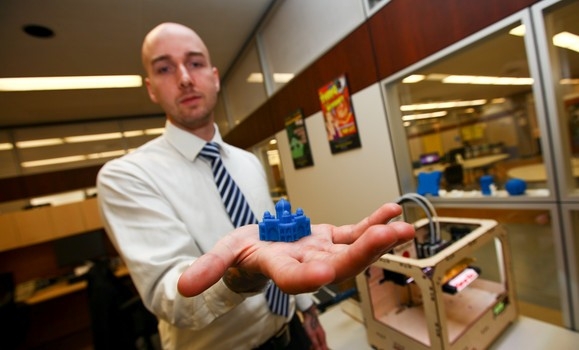 I just learned that Mike Groenendyk is joining Concordia University Libraries as a fellow business librarian. Michael comes to us from Dalhousie University Libraries, where he’s had quite a bit of impact !
In my lazy-yet-mysteriously-efficient-googling, I’ve stumbled on this really interesting project to bring 3D printing to the DAL Libraries, funded by CARL. Watch a YouTube video of a joint presentation at the Access 2012 conference:
[youtube=http://www.youtube.com/watch?v=hWqdQZ1FowY&w=560&h=315]
Also if interest is this video from PBSoffbook on 3D printing:
[youtube=http://www.youtube.com/watch?v=X5AZzOw7FwA&w=560&h=315]
My favorite use of 3D printing so far? Making the characters of the stop-motion animation film ParaNorman. That and a harmonica. Harmonicas are cool.
Also of interest is this thread from the blog at MakerBot on 3D printing in Libraries.
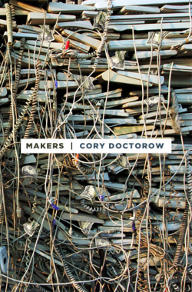 If you want to read up on the potential of 3D printing, I highly recommend a novel by Cory Doctorow called Makers, available in print or free download. I devoured it during my summer vacation and it really speaks to the potential of this technology. The protagonists are two hacker/artists and they meander through a seemingly probably web of open communities, fans, fellow hackers and corporations spanning the evil/good axis. I personally thought that there was just a tad too much romantic melodrama, but in the end it was pale in comparison with Cory’s vision about 3D printing.
Blended Learning Gamification Read Me
Fuller on the future of education – 30 years ago!
Olivier Charbonneau 2013-08-09
On a whim, I purchased access to a bundle of technology articles from the New Yorker, enjoying these long-form essays from the past years and decades. One of them, “In the Outlaw Area” by Calvin Tomkins (The New Yorker, January 8, 1966, p. 35), presents iconoclast architect and all-around scientific great Buckminster Fuller, whose work is fully visible from the Montréal skyline since the 1967 World Expo. 
I was surprised to notice that Fuller had written about the future of education back in the 1960s & 1970s, and sounds like his vision fits with the broader lines of experiential & blended learning:


(Images taken from screen shots on my mobile device of the text as displayed, from The New Yorker, January 8, 1966, p. 35)
Definitely worth a read!
Gamification Inspiration
Musings on Open Data, MineCraft and Libraries
Olivier Charbonneau 2013-08-09
This is a vision I had a few weeks ago, that I shared with colleagues at the Technoculture Art and Games (TAG) research group at Concordia University. It also fits with a conversation I’ve had with Marius Buliga on his blog chorasimilarity about
data visualization, apps and open data (and much more).
It is a bit of a rant, but I wouldn’t want it stuck in some old email folder, not with this blog begging for this kind of weird, pie-in-the-sky, waking dream… essentially, this is a broad sketch of using MineCraft as a data visualization tool…
I love to be handed vague & seemingly impossible challenges. These usually involve plugging random tidbits together so that something can emerge. So, I’ve been trying to figure out something simple yet awesome to do with the […] Library project. Also, someone on this list (who shall remain nameless) said in passing: “it would be great to use minecraft for data visualisation” and that somehow stuck.
Granted, I did not quite know what minecraft was (my bad, Lynn’s lecture fixed that). But since the e.SCAPE conference, I’ve dabbled in gamification of libraries as well as experiential learning (which are related somehow). I’m also reading about the history of books, swarms and how games were used to figure them out, as well as my regular score of copyright stuff (must-write-phd-thesis). Also, something impossible happened in the past 12hrs, both my daughters slept a consecutive 7 hours, and my train was delayed long enough for me to make myself a 2nd cup of coffee. All these sources, sleep and stimulants gave birth to an epiphany (a good friend of mine would call that a brain fart, but let’s not get graphic here).
The […] library system is releasing its datasets in an open format (a friend told me that) – which means that you can download their entire catalogue via an open protocol. So, if librarians construct an intellectual edifice with the books they buy, this analogy can deliver an evolving structure in MineCraft. For example, you could use the Dewey decimal code (which is a proxy to the subject of the book) as well as the location (branch library, a proxy for neighbourhoods) to devise a form of city scape or structure. Collections evolve over time – books are bought or weeded – which makes it into a living thing as this incorporates the concept of time. Also, the library system uses standards to manage its collections (which translate into fields in the catalogue), these rules can be transposed in a virtual representation.
Now, if you think this is cool, imagine if we could get the (anonymous ) data-feed from individual loans made to patrons – we could incorporate a whole new level to the game (swarms of people borrowing swarms of books). In fact, this would allow people in the city to “play the game” by borrowing a book! I don’t know if Minecraft has en engine to run critters in its environment, but we could have a swarm of critters walking all over the place based on the book-loans… or more simply, the structures in the system could somehow change with loans as well.
I feel Borges would have been pissed off if I did not share this fascinating living evolving vivid virtual representation of a library, its use and its impact on a city with such fine folks as yourself. I will let people more adept than me explore the ramifications of such a representation on identity, institutions, swarms, gamification, representations…
The idea is that as a Librarian, we learn how to evaluate a collection – a living organism which evolves over time based on constraints (space, budget, degradation of the material with use). People read books from librarians and librarians read collections. The collection as “edifice” is a strong analogy of how I perceive librarians do their work. MineCraft can be a tool to share this vision of a librarian’s professional work with others.
I call this the Edifice ™ project (which also works nicely in French).
Outfind.ca
On vacation…
Olivier Charbonneau 2013-07-28
We are out in the woods for some fishing and hiking at our favorite place, the Pourvoirie Waban-Aki just before La Tuque in Québec. Back in a week or so…
Inspiration
Some podcasts
Olivier Charbonneau 2013-07-09
I had to free up some space on my devices, but I wanted to keep track of them. Here they are:
> Media Shift
> Stuff you should know
> How stuff works
> Radiolab
Concordia University
On sabbatical until January 6th 2014
Olivier Charbonneau 2013-06-28
Please note that I am in sabbatical for the next 6 months, essentially writing my doctoral thesis. I won’t be checking my work email.

To follow my work, please refer to my French language research blog CultureLibre.ca. I’ll try to post on this blog once and a while, but not as often as usual…
Concordia University
Top 10 things a library does for you
Olivier Charbonneau 2013-05-17
I brainstormed this a while ago about the Concordia University Libraries when tkinking about presenting the library. Maybe it is useful?
** Top 10 awsome things your library does for you **
1. We buy all your textbooks and required readings (Reserve Room)
2. Computers, laptops, tablets, print, scan and internet
3. Open 24hrs, 7 days a week
4. 15 group study rooms
5. 5 million dollars – that’s how much we spend every year on stuff
6. Get stuff from us, but also any Library in Canada and the world (Colombo/Crepuq Card)
7. Forget Google & Wikipedia, we’ll teach you how to search for real
8. Use RefWorks and avoid plagarism
9. Talk to a person – our staff cares and will help you
10. Get all this FOR FREE !
Guidelines - recommendations Inspiration Open education
Let a million Apps Bloom
Olivier Charbonneau 2013-05-16
A random RSS item sent me to Allan Carrington’s interesting blog post on applying Bloom’s taxonomy to Apps, called the Padagogy Wheel (as in using iPads in pedagogy).

Source: http://www.unity.net.au/allansportfolio/edublog/?p=324
See a high-resolution version of this image on a poster padwheelposter[1]
Also, here is a short video that explains how the Padagogy Wheel works:
[youtube http://www.youtube.com/watch?v=RAYVQlUVpK4&w=560&h=315]
As Allen writes :
During my research I saw lots of great work done by others using Bloom’s Taxonomy including the Revised Taxonomy which has now become the Bloom’s Digital Taxonomy. However when I discovered the excellent pioneer work done by Kathy Schrock with “Bloomin’ Apps” I got the idea for the Padagogy Wheel. Dare I say it but it is the next version for mobile learning of the ongoing importance of Bloom’s Taxonomy. Bloom’s is still fundamental to good teaching and learning.
I’ve visited all the links mentioned in this paragraph and they provide great information about Bloom’s taxonomy, its revisions and applicaitons to the digital world. How interesting!